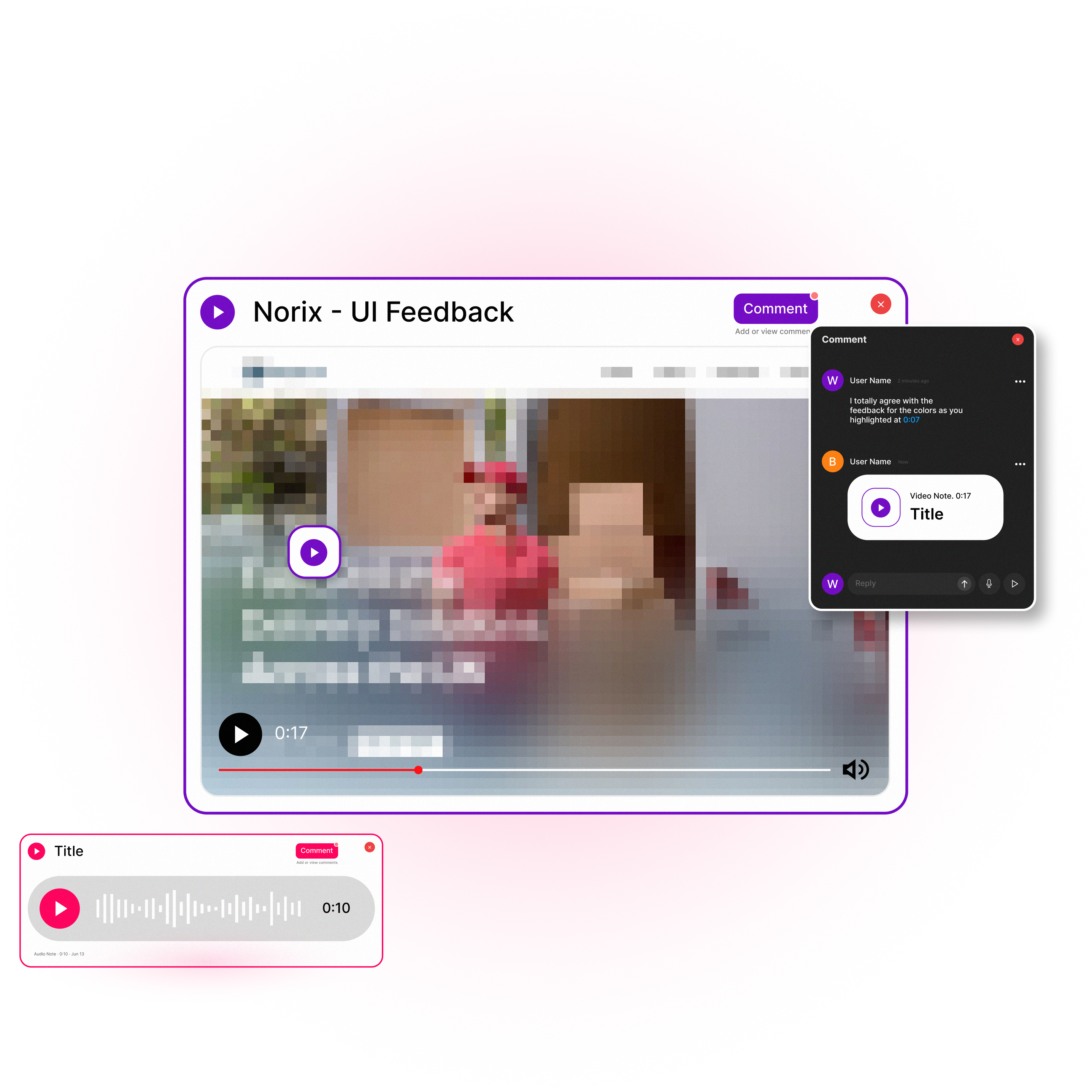
Drop a voice or video note on figma. Because "looks good" never sounds convincing in text.

MURMUR
Your voice, right where the design lives

See how it works
Two simple installs to make
your feedback heard, literally
1. Install the Chrome Extension
Grab the extension to record your screen, voice, or camera. straight from your browser. No extra apps.
Get the Chrome Extension2. Drop the Figma Widget
Add it once to your Figma file and you're set. Every note, every reaction, every clip, lives right inside the frame.
Figma Widget HereStart free.
Scale with your team.
Free forever for solo use. Pro when you're ready for no limits.
Free
Free forever.
- Unlimited audio pins.
- Up to 30 seconds per audio note.
- 1 video pin, up to 60 seconds.
- Pin anchored to the selected frame.
- Comment threads (text replies).
- Editable titles + clickable timestamps.
Pro
Full voice + video feedback, no limits.
€6.99 / month
Everything in Free, plus:
- Unlimited audio pins.
- Up to 5 minutes per audio note.
- Unlimited video (screen) pins up to 5 minutes
- Screen + camera bubble.
- Audio & Video replies in comment thread (coming soon)
- Priority sync & longer storage retention
Team
Async feedback for your whole design team.
€9.99 /user /month
Everything in Pro, plus (Planned):
- Shared team workspace — all pins & threads in one place
- Visibility controls — who can see/reply to feedback
- Centralized billing & admin (add/remove seats)
- Team activity overview — open vs resolved feedback
- @mentions & assignments
- Priority support

Stop leaving flat comments.
Start leaving feedback that actually sounds like you.
Try now →
Murmur FAQs
What's included in the Free account?
Murmur is free forever for solo use — no credit card required. The Free plan includes unlimited audio pins, up to 30 seconds per audio note, one video pin (up to 60 seconds), pins anchored to the selected frame, comment threads with text replies, and editable titles with clickable timestamps.
What if Murmur Pro isn't right for you?
No risk. Pro comes with a 14-day full money-back guarantee — if it's not for you, request a refund within 14 days of your first payment and we'll return it in full. You can also cancel anytime from the Manage subscription portal (sign in with the email you used at checkout); your Pro access stays active until the end of the current billing period. See our Refund Policy for the details.
How secure is my data?
The Murmur widget runs as an official widget inside Figma, inheriting Figma's enterprise-grade security and infrastructure (SOC 2 Type 2, ISO/IEC 27001, and more). We only process the feedback you create. For the full picture of what we collect and how it's handled, read our Privacy Policy.